A slim bar on every page
Pin the bar to the top or the bottom of the screen, so shoppers see their progress wherever they browse. They can close it when they like.
Liftly Cart Goals & Free Gifts puts a progress bar on your Shopify store. It tells shoppers what the next goal gives them, free shipping, a gift or a discount, and how much is left. When they get there, Shopify itself applies the reward in the cart and at checkout.
A working cart with the Cart goals bar. Change the quantities and watch the bar, the gift and the totals follow.
Set the goals once. The bar shows them on your store, and Shopify hands out the rewards.
The bar names the next reward and counts down what is left: “Add $18 more to get free shipping”.
Put up to four goals in one ladder: free shipping first, a gift next, a discount on the order after that.
Free shipping, a percent off the order, an amount off the order, or a free gift: one unit of a product you choose.
Shopify applies it itself, through Shopify Functions, in the cart and at checkout. No discount codes, no draft orders.
It is added to the cart for the shopper when the goal is reached, and leaves again if the order drops below it.
Three styles, soft, bold and minimal, with colours, bar thickness and corner radius set in the theme editor. No theme code edits.
The bar is rendered by your theme. Its script is about 9 KB and talks only to your store’s own cart: no outside servers, no cookies.
Goals and money rewards follow the shopper’s currency in Shopify Markets. Right-to-left languages, keyboard and screen readers are covered.
Inside your Shopify admin, choose a cart value and the reward it unlocks: free shipping at $50, a gift at $80, 10% off at $120.
Switch on the Cart goals bar in the theme editor, or add the Cart goals block to your cart page. One click, no code.
The bar counts down to the next goal. When the cart gets there, the reward is already in the cart and at checkout.
Choose the gift product once. From then on the bar and Shopify handle every cart.
Pick a style, then set the colours, the bar thickness and the corner radius in the theme editor.
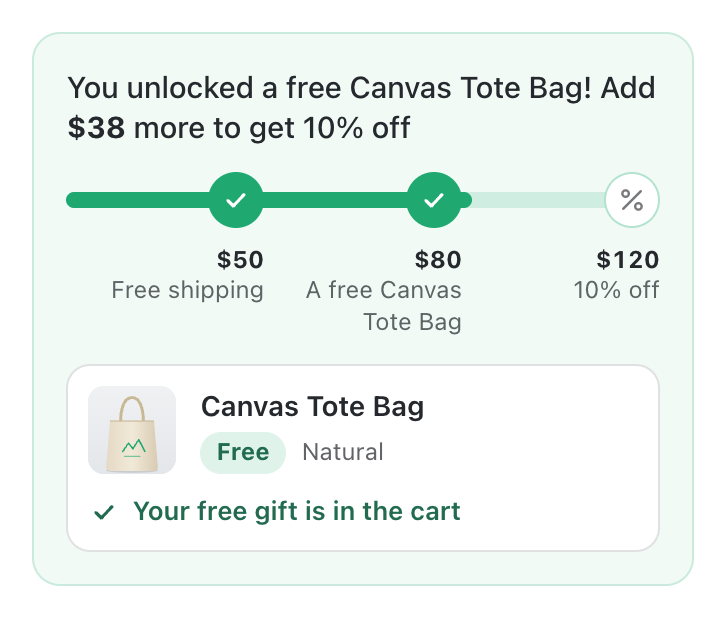
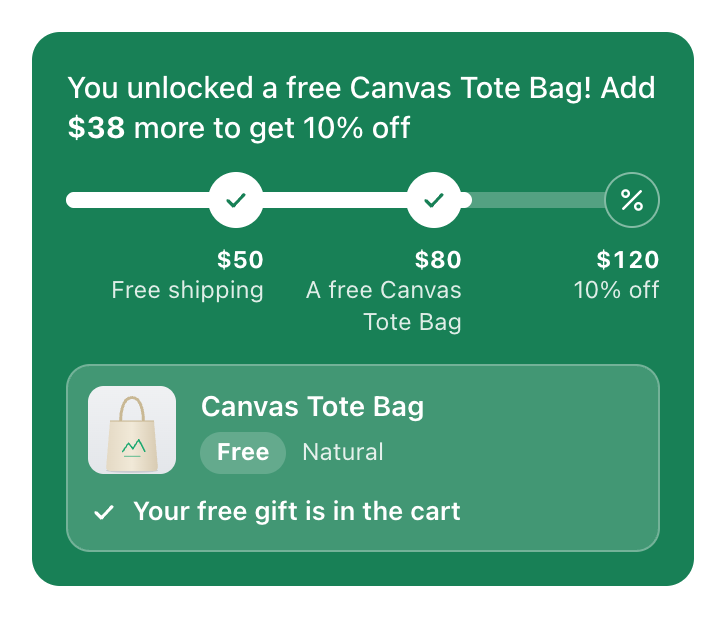
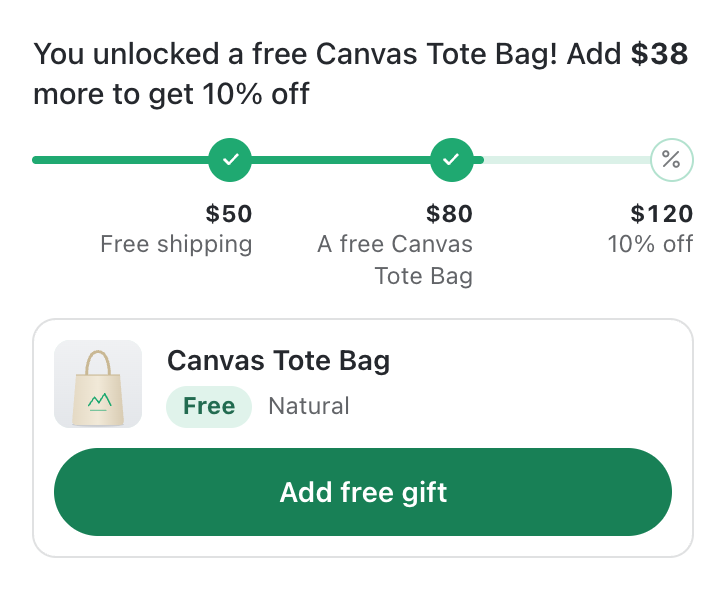
Pin the bar to the top or the bottom of the screen, so shoppers see their progress wherever they browse. They can close it when they like.
Add the Cart goals block in the theme editor and drag it where you want it, with the gift row right under the bar.
Progress, track, text and background colours, a thin line or a thick bar, square or rounded corners, icons and captions on or off.
Limit a campaign to customers with the tags you choose. Signed-in customers with a tag see those goals and get those rewards; everyone else sees your store as it is.
Give a campaign a start date and an end date in your store’s time zone, and set up the weekend sale days ahead.
Let the app make delivery free at the goal. Or, when your store already has a free shipping rate, have the bar count down to it and apply nothing.
No. When the cart reaches a goal, Shopify applies the reward on its own, in the cart and at checkout.
By what the items in the cart cost, before order discounts. The gift itself and gift cards do not count.
No. Set the free shipping goal to only show the bar: it counts down to your own rate, and the app applies nothing to shipping.
When its goal is reached, the bar adds the gift for the shopper, or shows an “Add free gift” button if you prefer. One unit of the gift is free while the goal is reached. If the order drops below the goal, a gift that was added automatically is taken out again.
It is charged as usual. Only the gift added through the bar becomes free.
Free shipping, the gift and an order discount from different goals apply together. Two order discounts do not: the higher goal replaces the lower one.
Goals and money rewards follow the shopper’s currency in Shopify Markets, on the bar and at checkout. They are converted with your store’s exchange rate.
Everything goes with it. Your campaigns live in your store, as Shopify discounts and metafields, and no code is left in your theme.
Set your first cart goal today and let the bar make the offer.
Add to your Shopify store